両手で本を押さえたまま、
まばたきで連続スキャン。
Hold Your Book Open with Both Hands — Blink to Scan!
分厚い専門書・参考書・ノートを電子化して Gemini Notebook や ChatGPT / Claude に取り込みたいのに、両手でページを押さえるとシャッターが押せない——。
PachiSCA(パチスカ) は、画面タップ一切不要。0.4秒目を閉じるだけでパシャッと撮影できる、完全無料のハンズフリースキャンカメラです。
Digitize thick textbooks, reference books, and notebooks without cutting the spine. Simply place your iPhone on a stand, hold pages flat with both hands, and close your eyes for 0.4 seconds to fire the shutter automatically—zero screen tapping, 100% free.
No False Triggers
On-Device Privacy
No Subscriptions
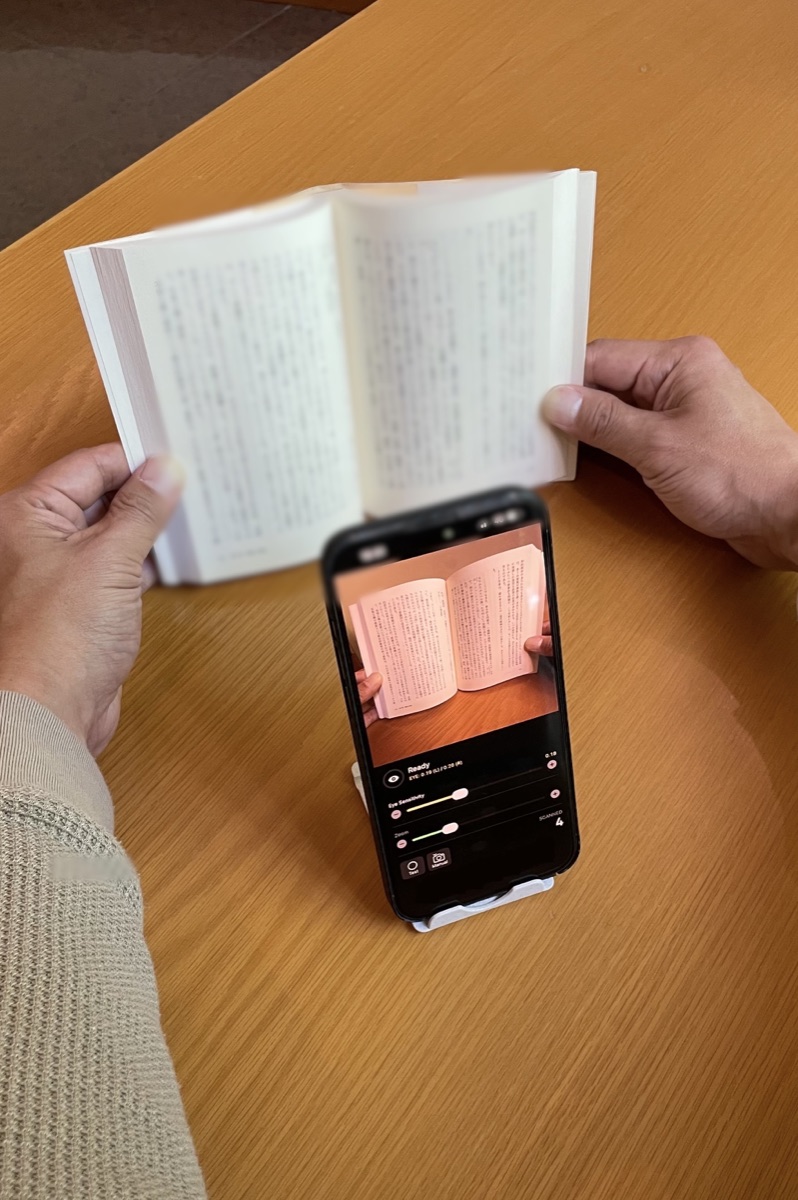
本を傷つけず、生成AIへ最速で取り込む3ステップ 3 Steps to Feed Physical Books into Generative AI
裁断機も専用スキャナーも不要。スマホスタンド1つで、紙の書籍やノートをAIの知識ソースへ変換できます。
No paper cutter or bulky scanner needed. Turn physical books and notes into AI-ready PDFs with just a phone stand.
両手で本を押さえて「まばたき連写」
Hold Pages & Blink to Capture
スマホをスタンドに置き、両手でページをしっかり開いて押さえます。「ページをめくる ➔ 0.4秒目を閉じる」の繰り返しだけで、専用アルバム PachiSCA Scan に次々と保存されます。
Turn the page, close your eyes for 0.4s, and repeat. Scans are automatically organized into the dedicated "PachiSCA Scan" album.
60ページでも数秒で1つのPDFに結合
Merge 60+ Scans into One PDF in Seconds
姉妹アプリ SCAtoPDF(無料)を開き、PachiSCA Scan アルバムの写真を選択してボタンを1回タップするだけ。順番並べ替え・ファイル名指定もワンタップ。
Open the free companion app SCAtoPDF, select your scans from the "PachiSCA Scan" album, and combine them into a single PDF with one tap.
Gemini NotebookやChatGPTへ投入
Upload to Gemini Notebook, ChatGPT, or Claude
完成したPDFを Gemini Notebook・ChatGPT・Claude にそのままアップロード。専門書の要約、試験問題の作成、資料横断検索がすぐに行えます。
Drop your merged PDF directly into your favorite AI assistant for instant book summaries, Q&A, and study quizzes.
実用性を追求した5つの設計 5 Core Features Built for Fast Scanning
1. 自然なまばたきでは誤爆しない「0.4秒ホールド判定」 / Smart 0.4s Hold Detection
Apple Visionフレームワークで左右の目の開閉度(EAR値)を毎秒20回解析。無意識の瞬き(0.1〜0.2秒)をスルーし、意識的に0.4秒閉じたときだけシャッターを切ります。
Analyzes Eye Aspect Ratio (EAR) at 20 FPS using Apple Vision. Ignores natural blinks (0.1–0.2s) and triggers only when you intentionally close your eyes for 0.4s.
2. 目の感度スライダー & 練習用「テストモード」 / Sensitivity Slider & Test Mode
スタンドの角度や照明に合わせて感度スライダーを直感調整。「テストモード」をONにすれば、カメラロールを汚さずにシャッター反応だけを事前チェックできます。
Fine-tune eye detection sensitivity with live EAR values and practice triggering the shutter in Test Mode without saving photos.
3. 専用アルバム「PachiSCA Scan」への自動振り分け / Dedicated "PachiSCA Scan" Album
撮影した本のページは自動的に専用アルバムへ整理されるため、プライベートな写真と混ざりません。
Automatically saves all scanned pages into a dedicated photo album so book pages never clutter your personal camera roll.
4. 1.0x〜5.0x ズーム & 左右パネル切替 / 1.0x–5.0x Zoom & Left/Right UI Switch
スタンドの高さに合わせたズーム調整や、横画面時の操作パネル左右入れ替えに対応。
Adjust zoom smoothly to match your stand height and flip control panels left or right in landscape mode.
5. 100% オンデバイス処理でプライバシー完全保護 / 100% On-Device Privacy
インカメラの映像や顔の特徴点データは端末メモリ上でのみリアルタイム判定に使われ、保存・外部送信は一切行われません。
Front-camera video and face landmarks are processed strictly in local memory and are never recorded or uploaded to any server.
SCAtoPDF — Batch Image to PDF
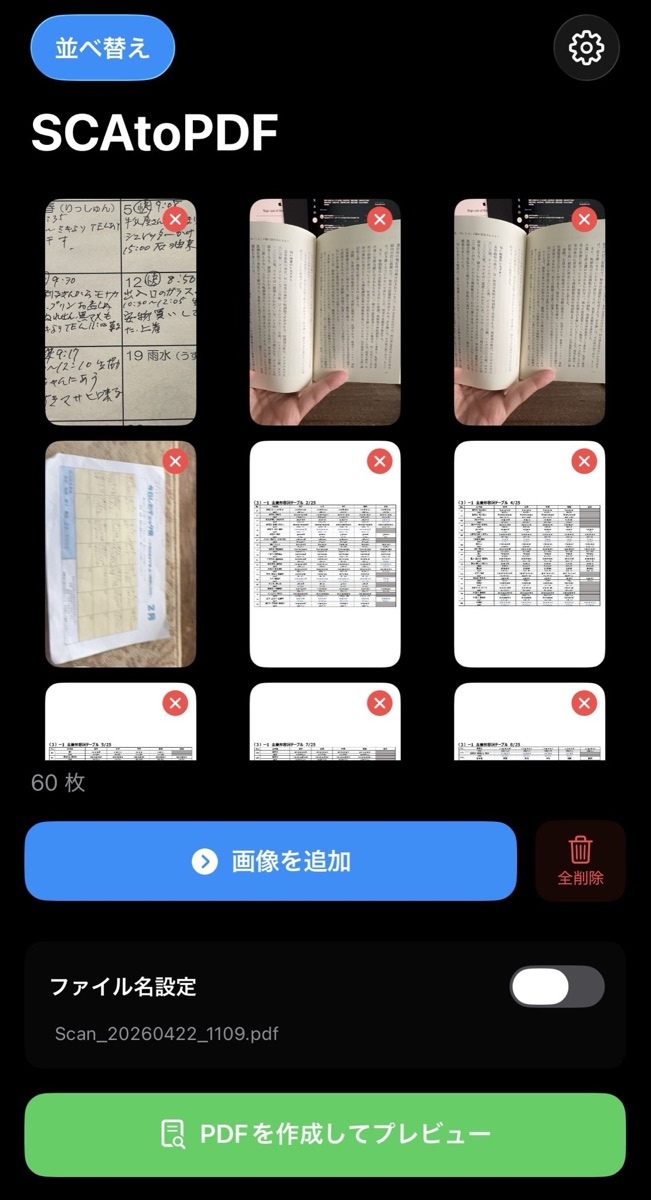
PachiSCAで撮った連番ページをワンタップでPDF化
Combine your PachiSCA scans into a single PDF in seconds.
よくある質問 / Frequently Asked Questions (FAQ)
Q. まばたきの感度調整はどうすればいいですか? / How do I adjust blink sensitivity?
画面中央にリアルタイム表示される EYE: 0.19 (L) / 0.20 (R) の数値を見ながら、目を閉じたときの値より少し上に「Eye Sensitivity」スライダーを合わせてください。左下の「Test」ボタンを押せば写真を保存せずに何度でも練習できます。
Watch the live EYE value on screen and set the "Eye Sensitivity" slider slightly above your closed-eye value. Use the "Test" button to practice without saving photos.
Q. どんなスマホスタンドを使えばいいですか? / What kind of phone stand works best?
市販の一般的な卓上スマホスタンド、またはグースネック(アーム)スタンドでOKです。背面カメラに本が映り、前面カメラにあなたの顔が映る角度に置けば準備完了です。
Any standard desk phone stand or gooseneck mount works as long as the rear camera sees the book and the front camera sees your face.
Q. なぜ生成AIへの取り込みに向いているのですか? / Why is it ideal for Generative AI?
Gemini NotebookやChatGPT、Claudeは、多少の湾曲や指が映り込んだページ写真でも極めて高いOCR精度でテキストを読み取れます。そのため本を裁断する必要がなく、両手で開いてパシャパシャ撮ってPDF化するだけで実用十分なAI知識ベースが作れます。
Modern AI models (Gemini Notebook, ChatGPT, Claude) read curved book pages with high OCR accuracy—so you can digitize books non-destructively in minutes.
Q. 料金はかかりますか? / Is it really free?
PachiSCA、およびPDF結合アプリSCAtoPDFともに完全無料(アプリ内課金なし)で全機能をお使いいただけます。
Yes! Both PachiSCA and SCAtoPDF are 100% free to use with no subscriptions or in-app purchases.
あなたの本棚を、今日から生成AIの知識に。
Turn Your Bookshelf into AI Knowledge Today.
両手で本を押さえたまま、まばたきでパシャッ。新しいハンズフリー電子化体験を今すぐ無料でお試しください。
Hold your book with both hands and blink to capture. Experience effortless hands-free scanning for free.